
How to Create a Professional Real Estate Listing in 5 Seconds? Tutorial
Does writing listings for Zillow or Realtor.com take too much time? SharkScribe automates this process, allowing you to create engaging texts that sell.
No credit card required · Instant access
Problem vs. Solution
❌ Real Estate Agent Pain Points
Writer's block after the tenth listing
After several hours of writing listings, creativity drops, and texts become repetitive and less engaging.
Repetitive phrases and clichés
"Cozy apartment", "high standard", "excellent location" - the same phrases in every listing.
Long listing publication time
Creating one listing takes 30-60 minutes. With 10 properties, that's a full day of work.
✅ Solution: SharkScribe AI
Our application uses advanced artificial intelligence to generate unique, engaging descriptions in seconds based on a list of features (square footage, location, standard, number of rooms).
Description generation time
Time savings
Unique descriptions
Tutorial: How to Create Real Estate Descriptions Step by Step
Below you'll find a detailed guide that will show you how to use SharkScribe to create professional real estate descriptions.
Upload property photos
Start by uploading property photos. SharkScribe uses advanced AI image analysis to automatically recognize:
- Room types: Living room, kitchen, bedroom, bathroom
- Finishing standard: Modern, classic, needs renovation
- Furnishings: Furniture, appliances, accessories
- Characteristics: Lighting, color scheme, spaciousness
- Amenities: Balcony, terrace, garden, view
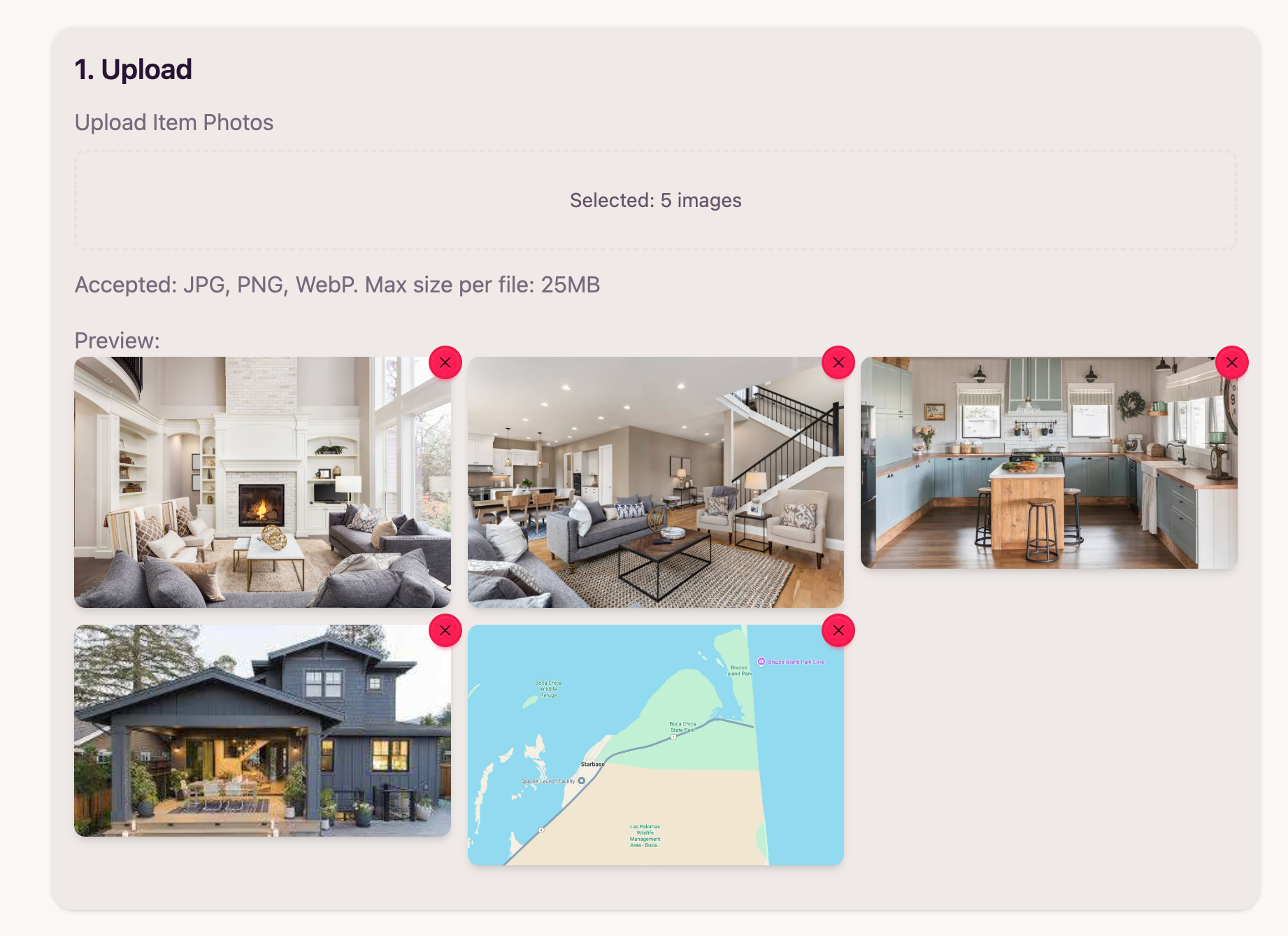
Example of photo upload interface in SharkScribe
Enter technical details (optional)
In the "2. Add item details" field, you can fill in additional information to make the description even more precise:
- Number of bedrooms: Studio, 1, 2, 3, 4+ bedrooms
- Square footage: Total and usable area
- Floor: Floor number or information about ground floor/attic
- Price: Sale or rental price
- Location: Neighborhood, city, proximity to transportation
- Additional amenities: Parking, elevator, garden, etc.
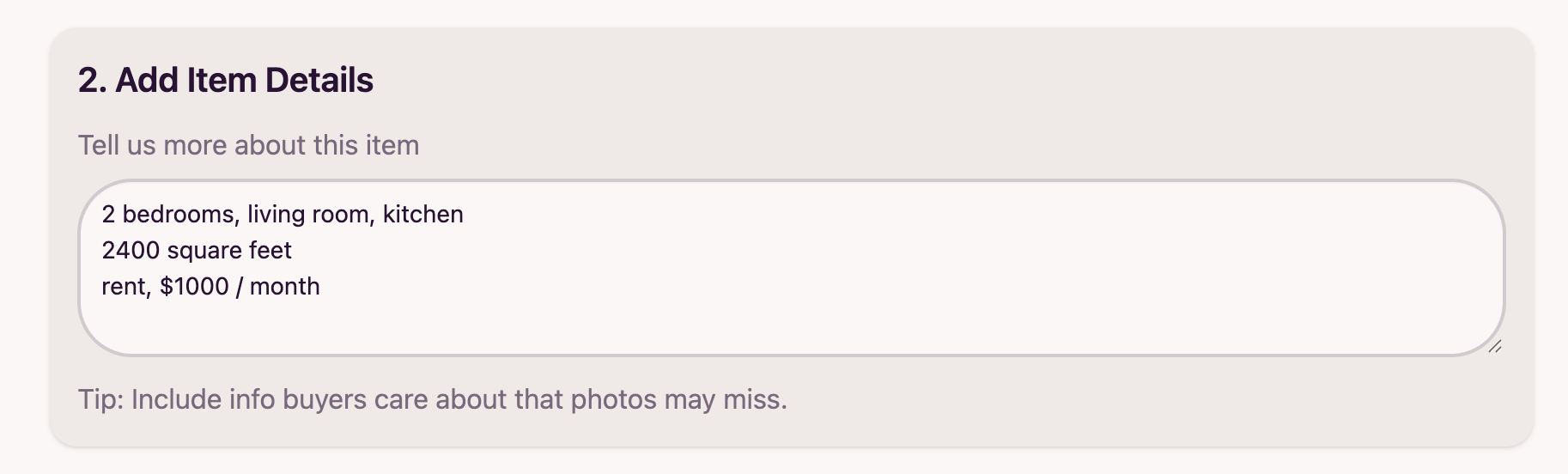
Example of the "2. Add item details" field in SharkScribe
Choose style and generate description
Adjust the description tone to your marketing strategy and click "Generate":
Professional
Formal tone, focused on facts and technical parameters. Ideal for real estate agencies.
Lifestyle
Emotional, describing lifestyle and atmosphere of the place. Effective for young professionals.
Minimalist
Concise, specific, without unnecessary embellishments. For clients who value time.
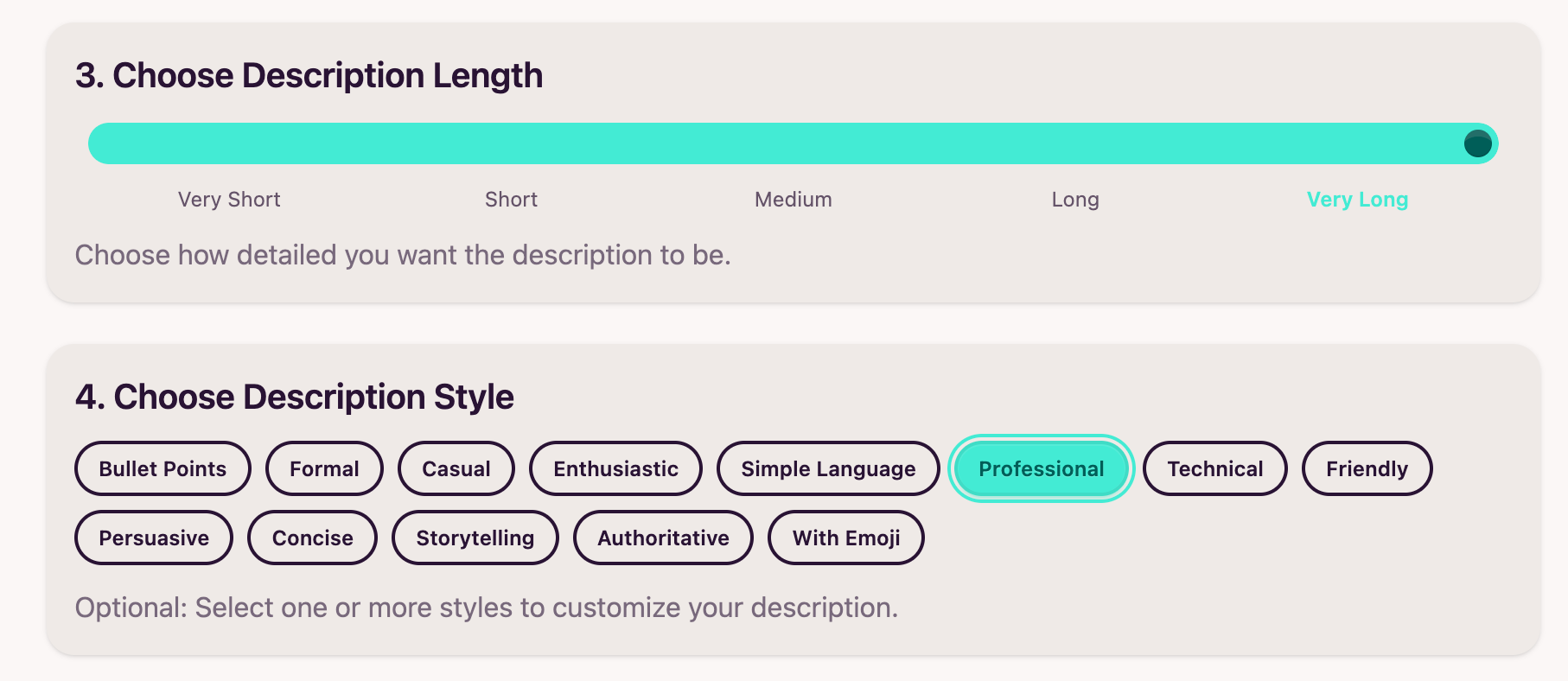
Example of description style selection in SharkScribe
After generation, you can:
- Edit: Add or remove sections, change wording
- Adjust length: Use the slider to shorten or lengthen the description
- Copy: You can immediately paste the ready text to Zillow, Realtor.com, or other platforms
- Regenerate: If the description doesn't meet expectations, generate a new version
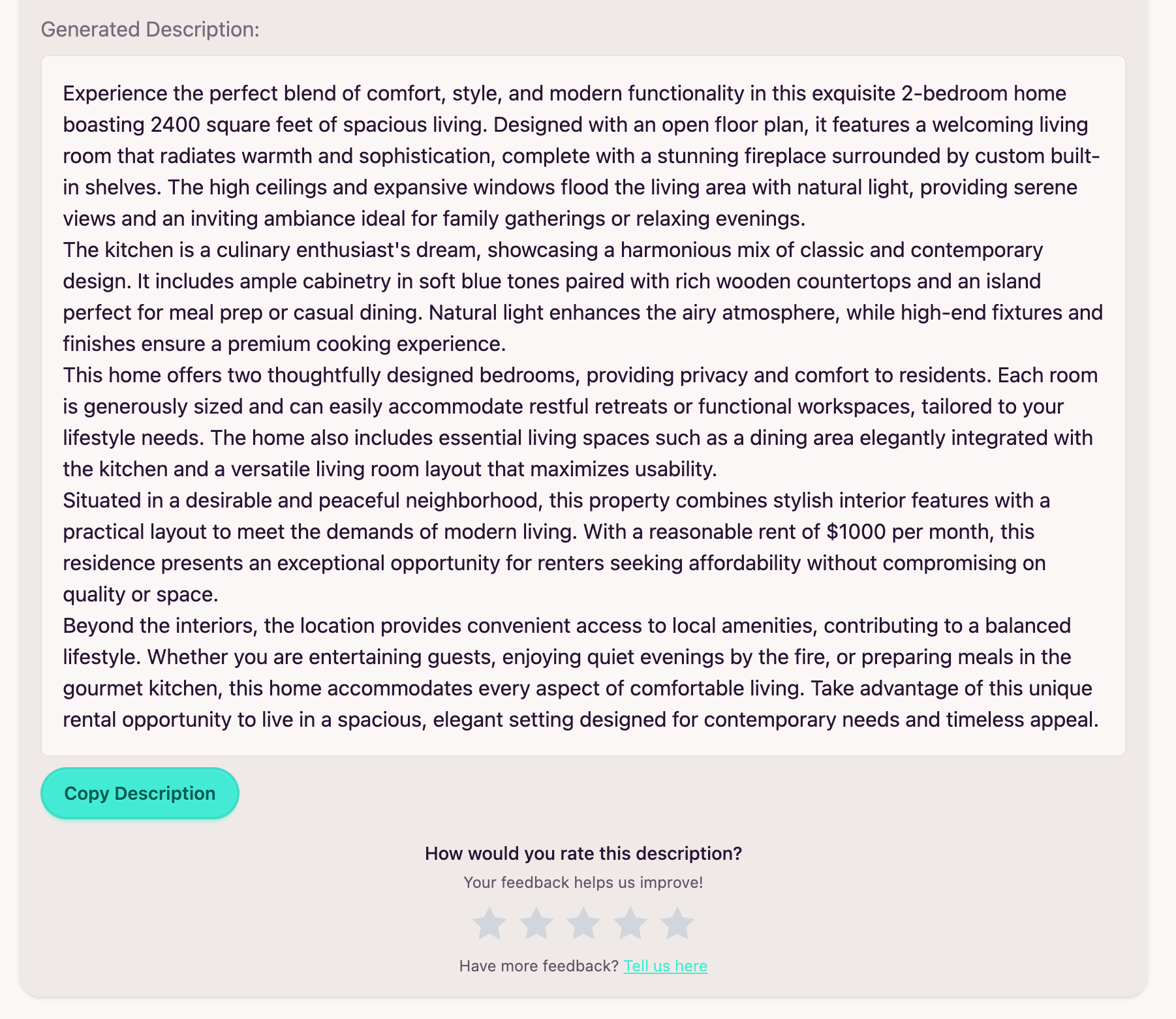
Example of generated real estate description in SharkScribe
"Before and After" Examples
See how SharkScribe transforms basic information into engaging, selling real estate descriptions.
Example 1: 2-Bedroom Apartment
❌ Before (traditional description):
"430 sq ft apartment, 2 bedrooms, renovated, close to subway. Balcony, elevator. Price: $450,000."
✅ After (generated by SharkScribe):
"Looking for the perfect place that combines modern design with excellent transportation? This 430-square-foot apartment right by the subway station offers a spacious living room with kitchenette and a bedroom with access to a sunny balcony. After a comprehensive renovation, the interior impresses with high-quality finishing and attention to every detail. Thanks to the elevator, daily shopping won't be a problem anymore, and the proximity to public transportation means downtown is within reach. This isn't just an apartment - it's your new home."
Example 2: Rental Apartment
❌ Before (traditional description):
"For rent: 3 bedrooms, 700 sq ft, 3rd floor, quiet neighborhood. $3,500/month."
✅ After (generated by SharkScribe):
"Welcome to this spacious, 700-square-foot apartment in a quiet, green neighborhood. Three bedrooms provide comfortable space for a family or professionals seeking peace after work. The apartment is located on the 3rd floor, offering beautiful views and natural light throughout the day. The area is known for safety and excellent infrastructure - schools, shops, and public transportation stops are within walking distance. Perfect for those who value tranquility without sacrificing convenience."
Frequently Asked Questions (FAQ)
Answers to questions our users most frequently ask before starting to work with the real estate description generator.
Yes! Each generated description is unique. SharkScribe uses advanced AI algorithms that create original texts based on entered data. Even for very similar properties, you'll get different descriptions, which is crucial for SEO and avoiding content duplication.
SharkScribe automatically adjusts the tone and content of the description depending on whether the property is for sale or rent. For rental listings, AI places greater emphasis on daily comfort, location, transportation access, and atmosphere of the place. Simply check the appropriate option when entering data.
Of course! SharkScribe fully supports English and creates naturally sounding descriptions that are optimized for the US real estate market. All descriptions are adapted to conventions used on platforms such as Zillow, Realtor.com, or Trulia.
Yes, and we encourage it! The generated description is a base that you can fully edit, adapting to your needs. You can add your own sections, change wording or combine elements from different versions of the description.
Generating a professional real estate description takes up to 5 seconds. This is much faster than manual writing, which can take 30-60 minutes. This allows you to prepare many listings in a day.
Yes! SharkScribe automatically includes appropriate keywords and phrases in descriptions that improve listing visibility in real estate platform search engines. Descriptions are also structurally optimized, which improves their ranking.
Absolutely! You can use generated descriptions on Zillow, Realtor.com, Trulia, Redfin, and other platforms. Each description is unique, so you can publish it on multiple platforms simultaneously without worrying about content duplication.
Ready to Cut Listing Creation Time by 80%?
Join hundreds of real estate agents who already use AI to create professional descriptions. Start for free - no credit card required.
Try Description Generator for FreeNo commitment · Instant access · 24/7 support