
Make AI Write in Your Unique Voice
AI speeds up creating product descriptions, but sometimes results can feel generic. Custom styles solve this! Paste descriptions you've written in the past, and the AI will learn your unique voice to generate content that truly sounds like you.
Premium feature · Instant access
Problem vs. Solution
❌ The Generic AI Problem
AI descriptions sound generic
Standard AI-generated descriptions lack personality and don't match your brand voice or writing style.
Losing your unique voice
Your descriptions have a distinct style, but AI-generated content doesn't capture that personal touch.
Time-consuming manual editing
You spend extra time rewriting AI descriptions to match your style, defeating the purpose of automation.
✅ Solution: Custom Writing Styles
Train the AI to write like you! Provide examples of your past descriptions, and the AI learns your unique voice, tone, and writing style. Every generated description will sound authentically yours.
Your unique voice
Example descriptions per style
Unlimited styles
How to Create and Use Custom Writing Styles
Follow this step-by-step guide to train the AI to write in your unique voice and style.
Navigate to Custom Styles
Access the Custom Styles page from the main menu or your account dashboard. This feature is available for Premium subscribers.
Example of navigation to Custom Styles page
Create Your First Style
Give your style a descriptive name (e.g., "eBay Seller", "Professional Copywriter", "Casual Marketplace") and add example descriptions that represent your writing style:
- Style Name: Choose a name that helps you identify when to use this style
- Example Descriptions: Paste 1-10 examples of descriptions you've written in the past
- Quality Matters: Use your best examples that showcase your unique voice and style
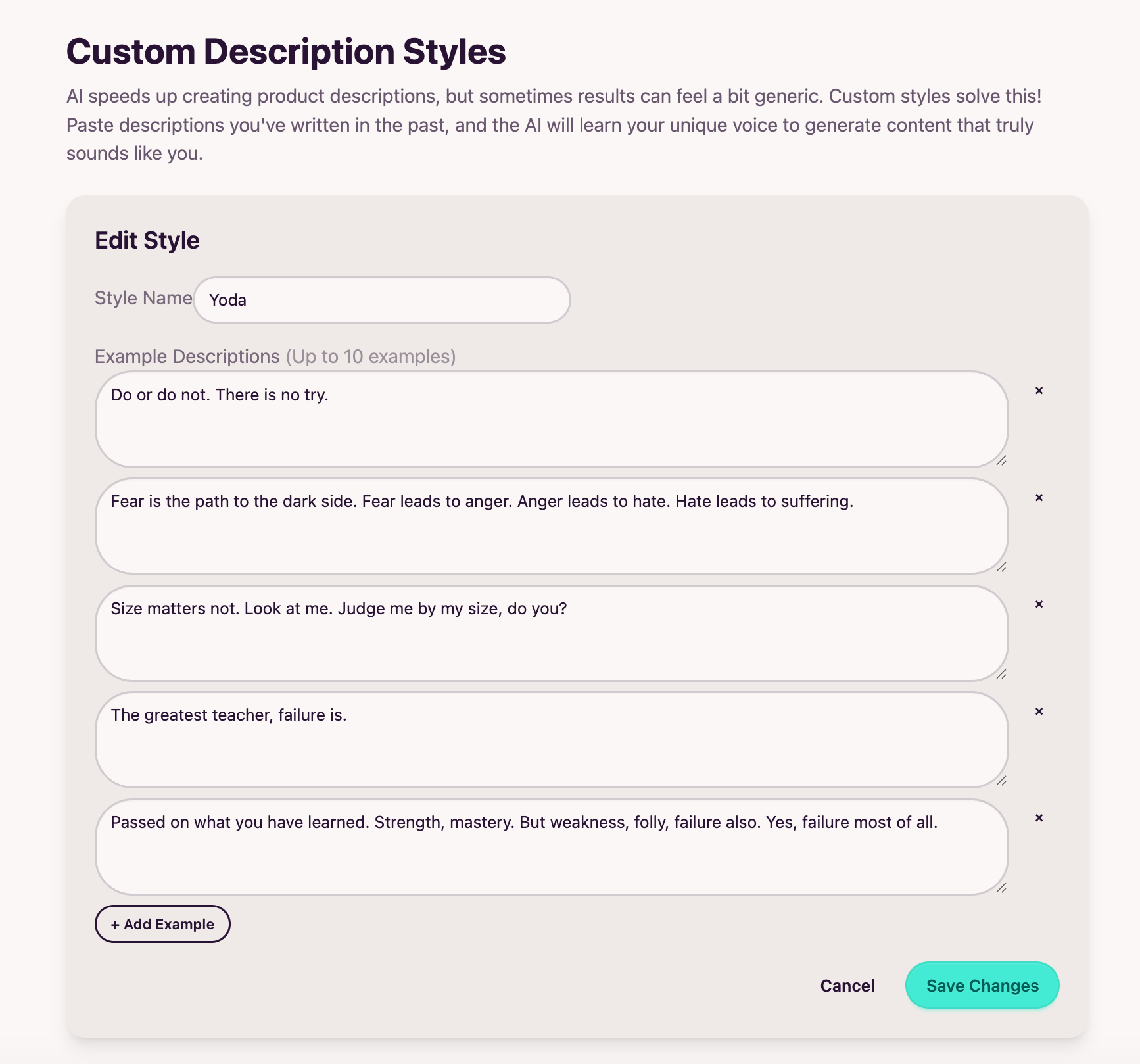
Example of creating a new custom style
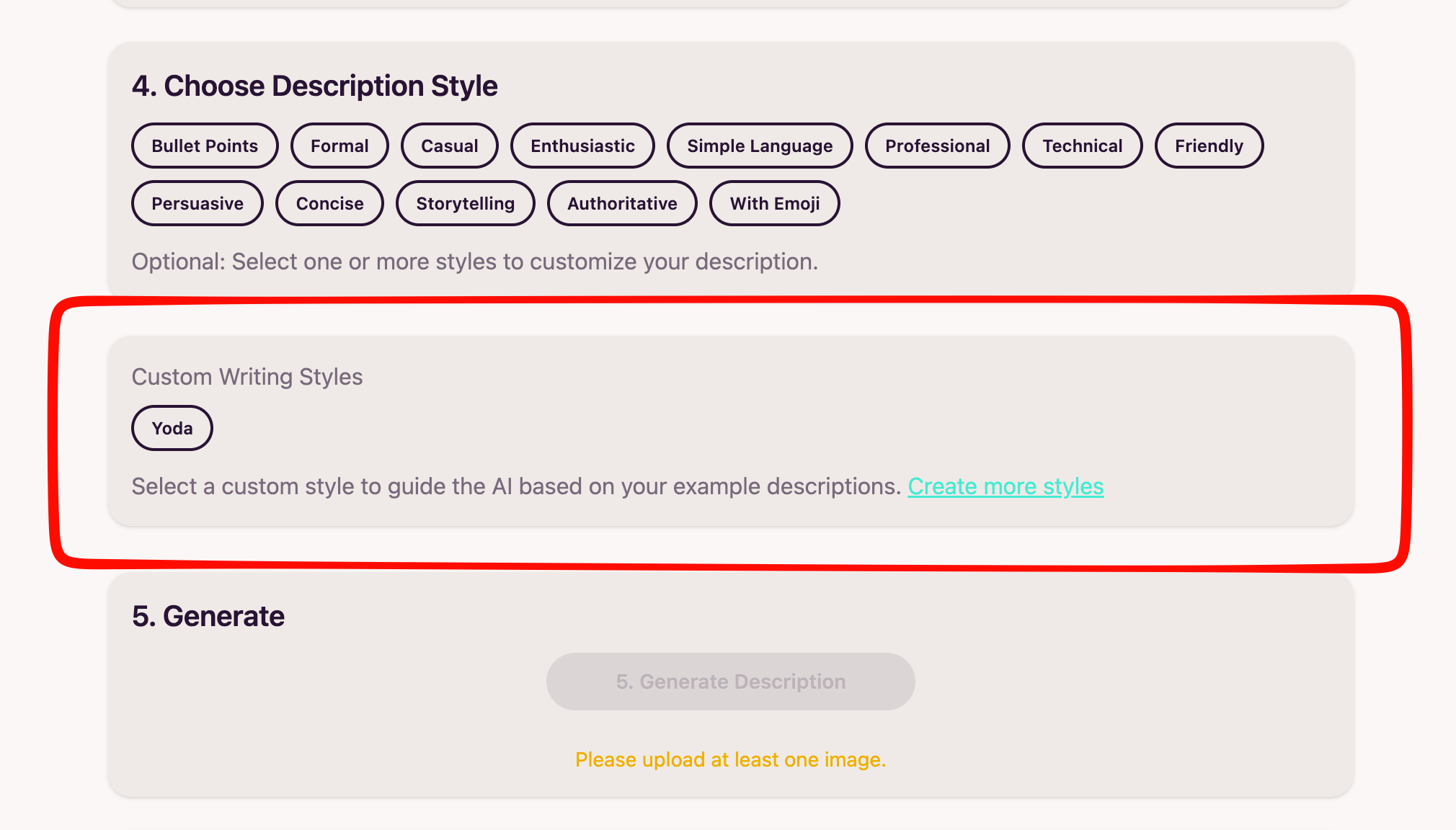
Use Your Custom Style When Generating
When creating a new product description, select your custom style from the style selector. The AI will use your examples to generate descriptions that match your unique voice:
- Select Style: Choose your custom style from the dropdown or button list
- Generate: Create descriptions as usual - the AI will automatically apply your style
- Multiple Styles: Create different styles for different contexts (e.g., one for eBay, one for marketplace listings)

Example of selecting a custom style when generating descriptions
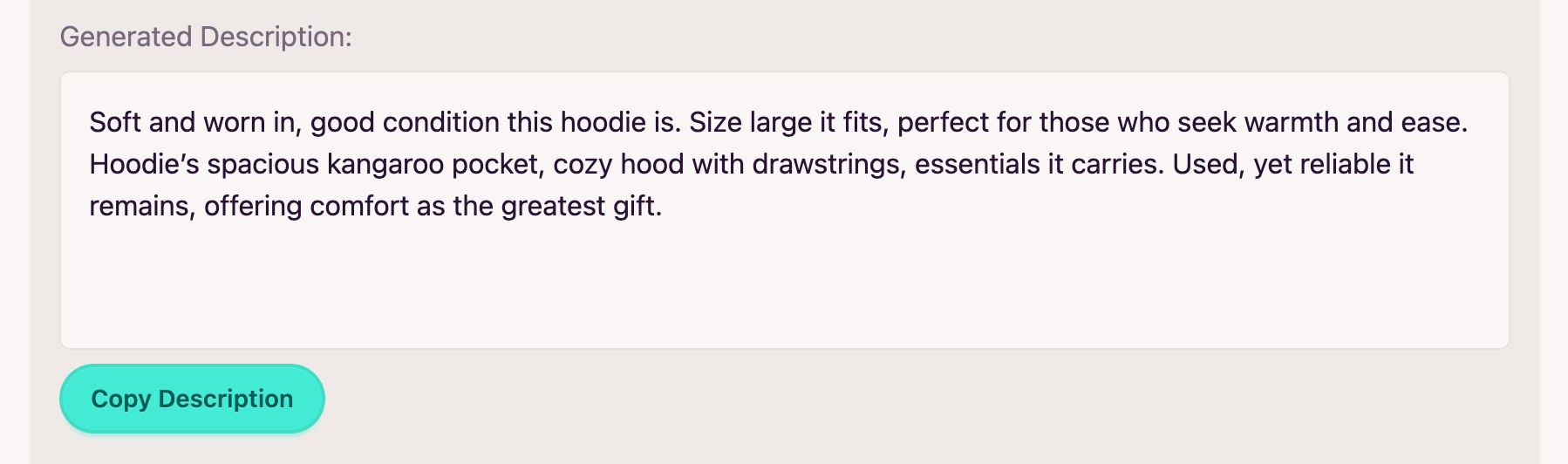
Example of a description generated with your custom style
Manage and Refine Your Styles
You can edit, update, or delete your custom styles at any time:
- Edit: Update style name or add/remove example descriptions
- Refine: Add more examples to improve the AI's understanding of your style
- Delete: Remove styles you no longer need
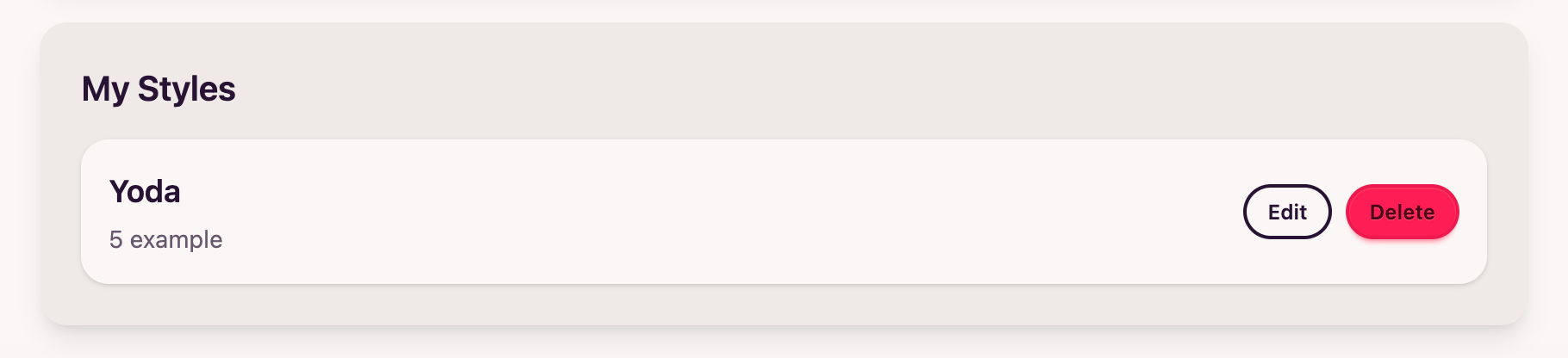
Example of managing your custom styles
"Before and After" Examples
See how custom styles transform generic AI descriptions into content that sounds authentically like you.
Example 1: Professional eBay Seller Style
❌ Before (generic AI description):
"This is a beautiful vintage item in excellent condition. It has been well-maintained and is ready to use. Great for collectors or anyone looking for a quality piece. Ships quickly with care."
✅ After (with custom style):
"Up for sale is this stunning vintage piece that's been part of my collection. Condition is excellent - no scratches, chips, or wear. Perfect for serious collectors or anyone who appreciates quality craftsmanship. I ship within 24 hours with full insurance. Check my feedback for fast, secure shipping."
Example 2: Casual Marketplace Style
❌ Before (generic AI description):
"Nice item for sale. Good condition. Works perfectly. Selling because I don't need it anymore. Contact me if you have questions."
✅ After (with custom style):
"Hey! Selling this because I'm doing a big declutter. It's in great shape and works perfectly - I just don't use it much anymore. Super easy to use, no issues at all. Happy to answer any questions, just shoot me a message! Can meet up or ship, whatever works for you."
Perfect For Different Use Cases
Create multiple custom styles for different platforms, audiences, or purposes.
Platform-Specific
Create separate styles for eBay, Vinted, Airbnb, Facebook Marketplace, and other platforms. Each platform has its own tone and conventions.
Brand Voice
Maintain consistent brand voice across all your listings. The AI learns your brand's unique personality and tone.
Product Categories
Different styles for different product types - formal for electronics, casual for clothing, technical for tools, etc.
Frequently Asked Questions (FAQ)
Answers to common questions about Custom Writing Styles feature.
You can provide anywhere from 1 to 10 example descriptions per style. We recommend providing at least 3-5 examples for best results. The more diverse and representative your examples are, the better the AI will learn your unique voice.
Yes! You can create unlimited custom styles. This is perfect for sellers who list on multiple platforms or want different styles for different product categories. Each style is independent and can be selected when generating descriptions.
The AI uses a technique called "few-shot learning" where it analyzes your example descriptions to understand patterns in your writing - your tone, sentence structure, vocabulary choices, and style preferences. It then applies these patterns when generating new descriptions.
Absolutely! You can edit your styles at any time - change the name, add more examples, or remove examples. This allows you to continuously refine and improve how the AI understands your writing style.
Custom Writing Styles is a Premium feature. You'll need to upgrade to a Premium plan to access this feature. It's included with all Premium subscriptions.
No, the AI doesn't copy your examples. Instead, it learns the patterns, tone, and style from your examples and creates new, unique descriptions that match your voice. Each generated description is original and tailored to the specific product you're describing.
You can always choose not to select a custom style, and the AI will use the default style options (Professional, Lifestyle, Minimalist, etc.). Custom styles are optional and can be selected on a per-description basis.
Ready to Make AI Write Like You?
Join Premium users who are already training AI to match their unique voice. Create custom styles and generate descriptions that sound authentically yours.
Try Custom Styles for FreePremium feature · No commitment · Instant access · 24/7 support